
Getting started
How to Find Creatives on Naebula
Find creatives is the main Naebula surface for finding people by role, location, tours, and profile status. It is intentionally simple: you control the filters, then decide who to open, save, message, connect with, or invite to a project.
What Find creatives is for
Find creatives helps you find people who can fit a shoot, production, portfolio update, campaign, or creative team. It is for finding individuals. If you want to publish a need and let people discover or apply to it, use projects and wishes instead.
Use role filters
Role filters are the fastest way to narrow the directory. If you need a model, photographer, make-up artist, hairdresser, stylist, videographer, producer, retoucher, or another supported creative role, start there.
Supported creative roles
Model-specific filters
For model searches, Naebula can also show model-specific filters such as gender and arrangement type. Arrangement type helps separate professional, TFP, and flexible collaboration preferences where that information is available.
Use location filters
Base location and radius
Location is one of the main discovery controls. A profile’s base location decides where that person is normally shown, and location search helps you find creatives around a city, area, or country.
For city or area searches, Naebula can use a radius around the selected place. For country searches, discovery matches the country context instead of treating the whole country like one small radius.
Tours and visitor availability
Tours are for temporary availability. If someone is normally based in one place but will be available somewhere else on specific dates, a tour can make that availability visible in discovery.
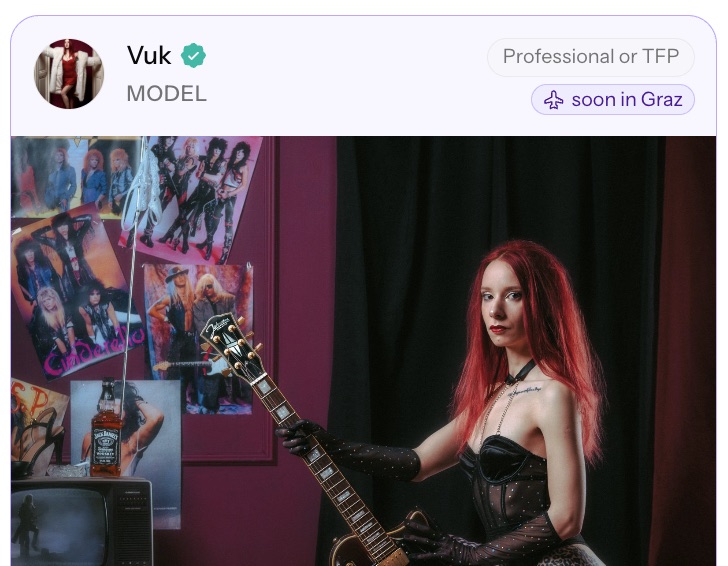
The locals and visitors filter controls whether discovery includes only base-location matches, current tours, or current and upcoming tours.
You can adjust role, location, radius, profile status, and local or visitor availability from Find creatives.
How discovery stays user-controlled
Visible controls
Naebula does not hide discovery behind an opaque matching system. The main controls are visible: role, location, radius, local or visitor availability, and profile status.
Profile status and ordering
Ordering also stays understandable. Complete profiles are prioritized by default, recently added complete profiles can be surfaced, verified users can rank higher, and distance can matter when you search around a specific place.
A profile must be public and discoverable to appear in public discovery. If discoverability is turned off, that profile is not shown in Find creatives.
What you can do after finding someone
Profile actions
Search is only the first step. Once you find someone relevant, most actions happen from the person’s public profile.
- Open the public profile to see the full portfolio and profile context.
- Save the profile privately if you want to keep a shortlist while planning.
- Start a direct conversation when you are ready to talk about fit.
- Connect when you want a stronger relationship signal between profiles.
- Invite the person to one of your projects when that action is available from their profile.
How to make your own profile easier to find
Your own profile appears in discovery through the same simple mechanics. Choose the right role when creating the profile, set an accurate base location, keep discoverability on when you want to be found, and use tours when you are temporarily available somewhere else.
Profile completeness also matters. A profile photo and featured image help a profile qualify as complete in Find creatives, and verification can add another trust signal where available. The detailed setup steps live in the creative profile guide.
Start browsing
Use Find creatives when you want to search directly. Use projects when you want to publish a need and let people apply.
FAQ
Can I search by creative role?
Yes. Find creatives lets you filter by roles such as model, photographer, make-up artist, hairdresser, stylist, videographer, producer, and retoucher.
How does location affect discovery?
Location is one of the main discovery controls. A profile base location determines where someone is normally shown, and location search helps you find people around a city, area, or country.
What are tours for?
Tours show temporary availability away from someone’s base location. They can help a travelling creative appear in discovery for another place during specific dates.
Why do some profiles appear higher in discovery?
Naebula keeps discovery simple and user-controlled. Complete profiles, recently added complete profiles, verified users, distance, and readable profile names can affect ordering, depending on the filters and search location.
Can I hide my profile from discovery?
Yes. Public discoverability controls whether your profile can appear in Find creatives and other public discovery surfaces.
What can I do after I find someone?
You can open the profile, save it privately, send a message, connect, or invite the person to one of your projects where those actions are available.